

Hardware Procurement: Why Your Business Needs its Own Dedicated Server

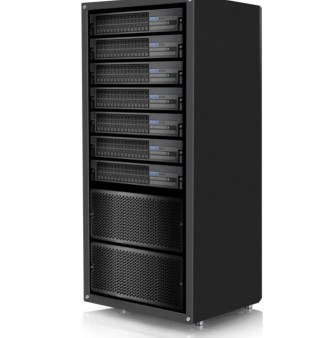
For small to medium-sized business, the standard networking model used within homes and smaller offices eventually becomes unable to keep up with the demands of the users. These user demands, which can include greater access to shared storage drives and printers, go beyond what a standard router and different endpoints can handle. How do you know when additional hardware procurement becomes necessary and a dedicated server will work in your favour? If any of these scenarios sounds familiar, deploying dedicated server hardware at your site is a project you should undergo.
- You want to implement centralised logins —We have a number of solutions allowing businesses to control their sensitive data both locally and in the cloud with one login. This gives greater control of the business’ valuable digital assets and the ability to remove access at a moment’s notice, helping with HR issues and preventing data leaving the organisation.
- Set up secure file permissions—A dedicated server takes the guesswork out of optimising security settings. When setting up your server during hardware procurement, you can set different file permissions to designate which users have access to what.
- Control your DNS—A DNS server is a type of computer server that contains a database of IP addresses and their hostnames. In most cases, the server resolves or translates those names to IP addresses when requested. This lets users memorize simple URL names (like www.google.com) instead of complex lists of port numbers and IP addresses.
- Streamline your processes with a DHCP—Dynamic Host Configuration Protocol (DHCP) provides quick, automatic, and central management for distributing IP addresses within a network on a dedicated server. Using a DHCP makes a network much simpler to manage and only allows properly configured devices to communicate on that network.
- Use an SQL database—With a dedicated server, you can use a Structured Query Language (SQL) database, which lets you quickly and efficiently retrieve large numbers of records. As a result, you can run an information-heavy CRM, ERP, or accounting system at your site.
- Switch from cloud hosting—While cloud storage is great for storing information, it still comes with risks. And while a cloud network or a Network Attached Storage device may have sufficed for storing and sharing data, a dedicated server only permits people from your company to access this data and provides greater protection against malware and hackers.

Chris Clark is the Founder and Chief Architect of SouthEast IT, where he leads the team in delivering cybersecurity, Microsoft 365, cloud services, managed IT support, and tailored technology solutions for Australian businesses. With more than two decades of experience designing and implementing IT systems, Chris helps companies improve security, streamline operations, and leverage technology for long-term growth through practical and reliable IT strategies.
When he’s away from the office, Chris can usually be found experimenting with craft brewing, flying drones, squeezing in a round of golf, or diving into the latest automation and IT trends – and he’s always up for a chat about any of them.


