- IT Services
SouthEast IT is a dedicated team of IT professionals who provide creative and solutions-driven results for businesses like yours to meet all of your IT needs.
- IT Solutions
Whether you’re a small startup or an established company, we tailor our IT services to meet your unique needs, helping you thrive in today’s digital landscape.
- Microsoft 365
At SouthEast IT, we have seen the difference that an Microsoft Office 365 migration can make for small and medium-sized businesses in Melbourne.
- Email Migrations
SouthEast IT helps Australian businesses migrate email systems to Microsoft 365 with minimal downtime and reduced risk.
- Phone Systems
Upgrade to a Business Phone System to enjoy all the Incredible Benefits
- MYOB
Your MYOB Support Service Needs Are Here, High Level Queries to Migration and Everything in Between
Can’t find what you’re looking for? Call 1300 155 285 for expert IT assistance
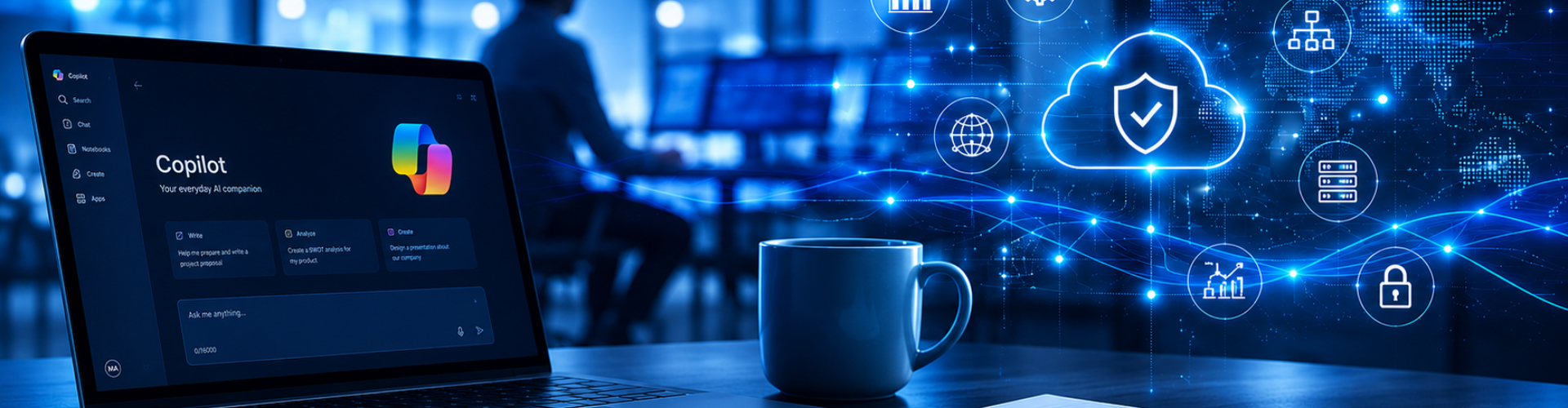
How to Prepare Your Business for Microsoft Copilot
Microsoft Copilot readiness involves reviewing permissions, securing business data, improving governance, and optimising Microsoft 365 before deployment. This guide explains the essential steps businesses should take to prepare for Microsoft Copilot and minimise security and compliance risks.

How to Prepare Your Business for Microsoft Copilot
Microsoft Copilot Can Save Time – But It Can Also Expose Hidden Business Risks
Microsoft Copilot is changing how businesses work – helping teams save time, improve productivity, and get more value from Microsoft 365.
But before deploying AI tools, it’s important to review your Microsoft 365 security, SharePoint permissions, Teams data access, and governance settings.
Poor controls can increase compliance and sensitive data exposure risks.
For many businesses, the appeal is obvious:
Less manual work
Reduce repetitive tasks and admin effort
Faster Access to Information
Find the right information instantly
Improved Productivity
Automate tasks and get more done, faster
Better collaboration
Work together seamlessly across teams and locations
Smarter use of Microsoft 365
Unlock more value from the tools you already use
But before rolling out Copilot, there’s an important question many businesses overlook:
Is Your Business Ready for Microsoft Copilot?
Prepare your business for AI with confidence.
For many businesses, the answer is probably no
The challenge is that Copilot works with the information already stored across your Microsoft 365 environment.
If your business already has messy permissions, duplicate files, outdated content, or poorly organised data, Copilot can make those issues much easier to surface.
Copilot doesn’t create security or governance problems – it exposes the ones that already exist.
That’s why preparing your business before deploying Microsoft Copilot is so important.
What Is Microsoft Copilot Readiness?
Microsoft Copilot readiness is the process of preparing your Microsoft 365 environment so AI tools can operate securely, accurately, and effectively across your business.
Before deploying Copilot, businesses need to understand how their Microsoft 365 environment is structured, secured, and managed.
This is important because Copilot works with the information employees already have access to across:

If permissions, file structures, or governance controls are poorly managed, Copilot can make those issues easier to uncover through AI-powered search and prompts.
The goal of Copilot readiness is simple:
Help businesses improve productivity with AI while reducing security, compliance, and information governance risks.
Copilot Readiness Assessment Includes
- Permisssions & Access Review
- SharePoint Structure Review
- Teams & Collaboration Governance
- OneDrive Data Assessment
- Outlook & Email Security Review
- Microsoft 365 Secuirty & Compliance Check
- Information Governance & Data protection
What Should You Do Before Using Microsoft Copilot?
Before deploying Microsoft Copilot, businesses should take the time to review, clean up, and secure their Microsoft
365 environment.
Preparing properly before rollout helps improve:
| 🎯 Copilot Accuracy | More relevant and reliable AI responses |
| 🔒 Information Security | Reduce the risk of exposing sensitive data |
| 🔍 Search Quality | Better results from SharePoint, Teams and OneDrive |
| 👤 User Experience | Faster adoption and more consistent outcomes |
| 🚀 Long-Term Success | Strong governance and scalable AI usage |
Here are some of the most important areas businesses should review before enabling Copilot.
Security Settings
MFA
Conditional Access
Admin Accounts
Data Clean-Up
Duplicate files
Old folders
Inactive Teams
Permissions
SharePoint access
Conditional Access
Admin Accounts
Sensitive Info
HR records
Financial info
Client data
Can Microsoft Copilot Access Confidential Files?
This is one of the most common concerns businesses have before deploying Microsoft Copilot.
The short answer is:

Copilot Can Only Access Information
Users Already Have Permission
to View

The real risk is excessive permissions that
Already Exist
across Microsoft 365
Common Issues Found Before Copilot
Examples of Questions Users could ask Copilot
Overshared Sharepoint Folders
“Show me salary information from last year”
Open Microsoft Teams channels
“Find old client contracts”
Guest access sprawl
“Summarise financial discussions”
Inactive user accounts
“Locate previous pricing proposals”
Copilot doesn’t bypass security controls or create new permission issues.
But it can make existing problems much easier to uncover through natural language prompts and AI-powered search.
Copilot Readiness Review
Take action now to ensure Copilot operates securely, accurately, and responsibly.
What Happens If You Deploy Copilot Without Preparation?
Many businesses already have years of unmanaged permissions, outdated content, and poorly organised data stored across Microsoft 365.
Without proper preparation, Copilot can make these existing issues much easier to surface through AI-powered search and prompts.
This can lead to problems such as:
Inaccurate AI Responses
Outdated Recommendations
Confidential Infomation Leaks
Compliance Concerns
In many cases, businesses blame Copilot when the real issue is poor Microsoft 365 governance and data management.
Preparing your environment before deployment helps improve security, reduce information sprawl, and create a better long-term Copilot experience for employees.
What Does a Copilot Readiness Assessment Include?
A professional Copilot readiness assessment helps businesses identify security, governance, and operational risks before deploying Microsoft Copilot across the organisation.
Rather than simply enabling AI and hoping for the best, a readiness assessment helps businesses understand whether their Microsoft 365 environment is properly prepared for secure and effective adoption.
A typical assessment may include:
Microsoft 365 Security Reviews
Identify security risks, configuration issues, and potential vulnerabilities before they impact your business.
SharePoint Permissions Analysis
Review permissions and file access to ensure sensitive information is only available to the right people.
Microsoft Teams Governance Checks
Assess Teams settings, guest access, and sharing controls to support secure collaboration.
Licensing and technical readiness checks
Confirm licensing, configurations, and technical prerequisites required for a successful Copilot deployment.
Establish practical guidelines for the safe, responsible, and compliant use of Microsoft Copilot across your organisation.
For many businesses, this process helps uncover existing permission, security, and data management issues long before Copilot is rolled out to employees.
Most importantly, a readiness assessment helps businesses deploy Copilot with greater confidence, better security, and a clearer long-term adoption strategy.
Is Microsoft Copilot Worth It for Small Business?
Microsoft Copilot has the potential to significantly improve productivity across day-to-day operations.
When implemented properly, Copilot can help with:
Fewer unexpected disruptions
Proactive monitoring and preventative maintenance help identify issues before they cause outages – reducing interruptions to staff, customers, and daily operations.
More predictable operations
Stable systems and responsive IT support make it easier for teams to work efficiently, meet deadlines, and maintain consistent service delivery.
Greater system reliability
Stable systems and responsive IT support make it easier for teams to work efficiently, meet deadlines, and maintain consistent service delivery.
Confidence in your technology
Businesses gain peace of mind knowing their systems are secure, supported, and aligned with modern cybersecurity and business continuity practices.
Like most AI tools, successful Copilot deployment is not just about the technology itself — it’s about preparing the business properly before rollout.
How SouthEast IT Helps Businesses Prepare for Copilot
At SouthEast IT, we help Australian businesses prepare, secure, and optimise their Microsoft 365 environments before deploying Microsoft Copilot.
Our approach focuses on helping businesses adopt AI securely, strategically, and with long-term success in mind.
Depending on your environment and business requirements, our Copilot readiness services may include:
Microsoft 365 security reviews
SharePoint permissions assessments
User Access and Permissions Analysis
AI Governance Guidance
Teams governance Reviews
Microsoft 365 Cleanup and Optimisation
Copilot Deployment Planning
Microsoft 365 Licensing Reviews
We help businesses reduce security risks, improve governance, and create a stronger foundation for successful Copilot adoption across Microsoft 365.
Final Thoughts
Microsoft Copilot has the potential to transform how businesses use Microsoft 365, helping teams work more efficiently, collaborate more effectively, and reduce time spent on repetitive tasks.
However, successful Copilot adoption depends heavily on how well your Microsoft 365 environment is prepared before deployment.
Businesses should ensure their environment is:
- secure
- organised
- properly governed
- permission-controlled
- structured for AI-powered search and collaboration
Preparing properly before rollout helps reduce security risks, improve Copilot accuracy, and create a smoother long-term adoption experience for employees.
Not Sure If Your Microsoft 365 Environment Is Ready for Copilot?
For many businesses, a professional Copilot readiness assessment is one of the most effective ways to ensure Microsoft Copilot delivers real business value from day one.
A professional Copilot readiness assessment can help identify:
- overshared permissions
- outdated SharePoint content
- governance gaps
- security risks
- Microsoft 365 optimisation opportunities
before deploying AI tools across your business.
No obligation. Just clear, practical advice.
FAQ About Microsoft Copilot Readiness
What is Microsoft Copilot readiness?
Microsoft Copilot readiness is the process of preparing your Microsoft 365 environment so Copilot can operate securely, accurately, and efficiently across your business.
Why do businesses need to prepare before using Microsoft Copilot?
Copilot works with the data and permissions already inside Microsoft 365. Without proper preparation, businesses may expose outdated, duplicate, or sensitive information through AI-powered search and prompts.
Can Microsoft Copilot access confidential files?
Copilot can only access information users already have permission to view. However, many businesses discover they already have excessive permissions across SharePoint, Teams, and OneDrive.
Is Microsoft Copilot safe for business?
Yes — when implemented properly. Microsoft Copilot uses Microsoft 365 security and compliance controls, but businesses still need strong permissions, governance, and security practices in place.
What are the biggest Microsoft Copilot security risks?
Common risks include:
overshared SharePoint folders
excessive user permissions
outdated confidential files
unmanaged guest access
poor Microsoft 365 governance
inconsistent AI usage policies
Can Copilot see old or outdated files?
Yes. If employees already have access to old files, archived projects, or outdated SharePoint content, Copilot may still reference that information.
Should businesses clean up SharePoint before deploying Copilot?
Yes. Cleaning up SharePoint helps improve security, reduce outdated content exposure, and improve the accuracy of Copilot responses.
Does Microsoft Copilot use Microsoft Teams data?
Yes. Copilot can reference Teams chats, files, meetings, and collaboration content depending on user permissions and licensing.
Why do SharePoint permissions matter before using Copilot?
Poor SharePoint permissions can allow employees to access sensitive information they should not normally see. Copilot can make this information easier to discover through natural language prompts.
What should businesses review before deploying Copilot?
Businesses should review:
Microsoft 365 security settings
SharePoint permissions
Teams governance
user access levels
outdated files
guest access
compliance requirements
AI governance policies
What is Microsoft 365 data sprawl?
Data sprawl refers to large amounts of duplicated, outdated, or poorly organised information stored across Microsoft 365, SharePoint, Teams, and OneDrive.
Can messy Microsoft 365 data affect Copilot performance?
Yes. Duplicate files, outdated documents, and poorly organised content can reduce the quality and accuracy of Copilot responses.
What does a Copilot readiness assessment include?
A Copilot readiness assessment typically includes:
Microsoft 365 security reviews
permissions analysis
Teams governance reviews
licensing checks
compliance assessments
deployment planning recommendations
How long does Microsoft Copilot setup take?
Deployment time varies depending on the size and complexity of the Microsoft 365 environment. Businesses with cleaner, well-governed environments usually deploy faster.
Do small businesses need a Copilot readiness assessment?
For many small businesses, yes. A readiness assessment helps identify security, permissions, and governance issues before Copilot is rolled out to staff.
What happens if you deploy Copilot without preparation?
Businesses may experience:
inaccurate AI responses
oversharing concerns
outdated content appearing in results
poor user adoption
governance and compliance issues
What Microsoft 365 licences are required for Copilot?
Microsoft Copilot requires eligible Microsoft 365 licensing, which may vary depending on the Copilot solution and business requirements.
Can Copilot improve productivity for small business?
Yes. Copilot can help businesses reduce repetitive work, improve collaboration, simplify reporting, and save time across day-to-day operations.
How do businesses prepare SharePoint for Copilot?
Preparing SharePoint for Copilot usually involves:
reviewing permissions
removing outdated files
improving folder structures
reducing duplicate content
reviewing guest access
What is AI governance for business?
AI governance refers to the policies and controls businesses use to manage how AI tools are accessed, used, and monitored across the organisation.
Why is AI governance important before deploying Copilot?
AI governance helps businesses manage:
sensitive information exposure
employee AI usage
compliance obligations
document access controls
acceptable AI usage policies
Can Copilot access archived Microsoft Teams or SharePoint content?
Yes. If archived content is still accessible to users inside Microsoft 365, Copilot may still reference that information.
How can businesses reduce Microsoft Copilot security risks?
Businesses can reduce risk by:
reviewing permissions
cleaning up outdated files
improving governance
securing guest access
implementing AI usage policies
conducting a Copilot readiness assessment
Is Microsoft Copilot worth it for small business?
For many businesses, yes. When implemented properly, Copilot can improve efficiency, reduce manual work, and help teams work more effectively across Microsoft 365.
How can SouthEast IT help businesses prepare for Copilot?
SouthEast IT helps businesses prepare Microsoft 365 for Copilot through:
security reviews
permissions assessments
SharePoint cleanup
Teams governance reviews
Microsoft 365 optimisation
Copilot deployment planning
AI governance guidance